
Open an account
The broker creates a trading login and assigns a server. Demo and real accounts are separate credentials.
Extensive educational section
Trading with an online broker is conducted through a platform: it receives quotes, displays charts and the account, sends orders to the broker and helps monitor positions. We will systematically go through MetaTrader 5, MetaTrader 4, cTrader and Trader Start — without omissions or unclear terms.
Basics
The platform is the interface between the trader and the trading account at the broker. It is not the broker itself and usually does not determine the spread, commission, leverage, or instrument set: these parameters are set by the broker and the specific account type.
The broker creates a trading login and assigns a server. Demo and real accounts are separate credentials.
Install the application or open the web version, then log in with your login, password, and server.
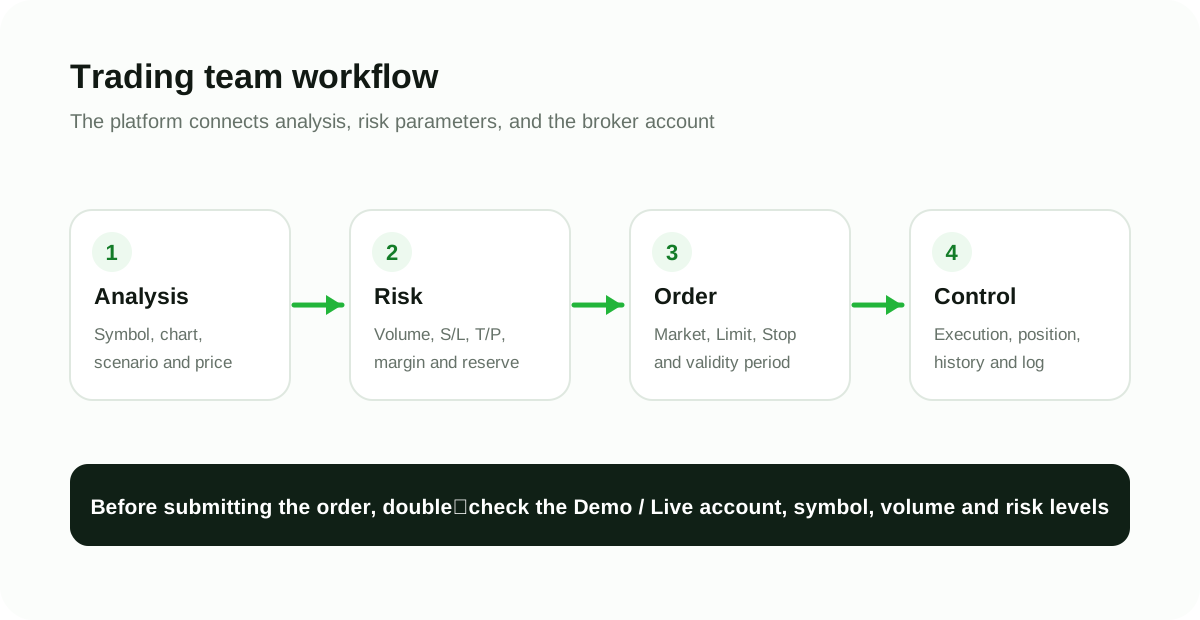
You select the instrument, direction, volume, order type, Stop Loss and Take Profit.
The platform sends the order to the broker. Price and execution quality depend on the market and account conditions.
The main difference: The chart helps make a decision, the platform sends the command, and the broker executes it under the trading account’s terms. Therefore, the same interface across different brokers may display different symbols, spreads, commissions, and execution modes.
Full guides
Each card leads to a standalone guide with a table of contents, practical steps, pitfalls, FAQ, and official sources.
Broker-aware charts, quote sources, technical indicators, drawing tools, demo execution, order controls and risk management.
Open full guide →Installation, account connection, interface, charts, symbol specification, orders, positions, MQL5, strategy tester, and mobile version.
Open full guide →How MT4 is structured, where Market Watch, Navigator and Terminal are located, how to work with orders, templates, indicators and MQL4 Expert Advisors.
Open full guide →cTrader ID, Watchlists, charts, Trade Watch, Quick Trade, volume in lots and units, DOM, cBots and automation in C# or Python.
Open full guide →A fair comparison of the interface, markets, timeframes, orders, testers, MQL4/MQL5 languages, and account and software compatibility.
Compare platforms →Market, Limit, Stop and Stop Limit: where the right command is located, when the order is triggered, and why the execution price may differ.
Parse orders →Automation
MT4 uses MQL4, MT5 — MQL5, cTrader — cBots and Automate; Trader Start has a proprietary chart interface and native studies. Code and settings cannot be considered interchangeable: first study the specific platform's documentation and test the algorithm on a demo account.
How to choose
| Criterion | What to check | Why this is important |
|---|---|---|
| Broker and account | Does the chosen broker support the platform for your region and account type? | A login for one platform usually cannot be used on another without a separate account. |
| Tools | Forex, metals, indices, CFD stocks, futures or other desired markets. | The set of symbols is determined by the broker, not the software name. |
| Manual trading | Order placement speed, graphical trading, DOM, mobile app. | The workflow should reduce the likelihood of error, not add to it. |
| Automation | MQL4, MQL5 and cTrader cBots; Trader Start is a separate chart and broker-connected workspace. | Programs from different ecosystems cannot be transferred with a single click. |
| Quotes | Data source, latency, trading sessions and broker symbol. | The analytical chart and price in the trading ticket may come from different sources. |
| Devices | Windows, macOS, Web, Android, iOS and workspace synchronization. | Features of the desktop, web, and mobile versions may differ. |
Our brokers
Actual availability depends on the legal entity, country, product and account type — check it before registering.
| Broker | Platforms | What to learn with us |
|---|---|---|
| Tickmill | MT4 and MT5; additional options may depend on the product and region. | MT5, MT4, comparison. |
| IC Markets | MT4, MT5, cTrader and Trader Start Chart; | cTrader, Trader Start Chart, MT5. |
| FP Trading | MT4, MT5 and cTrader; product and platform availability depends on the region. | MT5, MT4, cTrader. |
Check the symbol lookup, contract specification, order creation and modification, S/L and T/P, history and log. After that, compare brokers and the platforms available to them.
CFD and margin trading involve high risk.
Correct order
Official sources
We explain platforms in plain language, and we verify technical changes against developer documentation and broker pages.
Go to the platform or broker
Before registering, check the country of service, legal entity, available platforms, and the terms of the specific account.
FP Trading provides share CFDs on cTrader. To trade supported stock CFDs directly from Trader Start, open a compatible FP Trading cTrader account and connect it to Trader Start. This is CFD trading, not ownership of physical shares.
IC Markets cTrader accounts provide access to many supported currency pairs, metals, indices and other CFD markets. Verify the symbol in your specific cTrader account.
Broker products and account access differ by entity and region. Stocks are traded as CFDs, not direct stock ownership.